This toolkit will take you through the why, who, what and how of digital product development for the arts and culture sector.
Taking its inspiration from the project case studies, this toolkit is a suite of resources, tips and articles aimed at a collective of practitioners wishing to improve existing digital products and services or to develop new ones.
This toolkit will take you through the why, who, what and how of digital product development.
As well as the full toolkit and a summary publication, you can download the individual worksheets below.
- Section 01 Introduction
- Section 02 The Concept
- 02. The Concept
- 02.2 What Is It and Why Are We Doing It?
- 02.2 What Is It and Why Are We Doing It?
- Section 03 The Audience
- Introduction
- 03.1 Audience Research Tips and Techniques
- 03.2 Defining Your User & Building Personas
- 03.3 Shaping The Value Proposition
- Section 04. The Resources.
- Standard Items for a brief
- Section 04. The Resources.
- Section 05. The Product.
- 05. The Product
- Thinking About the Content Lifecycle and the Value of Assets Over Time
- Section 05. The Product.
- Section 06. The Launch.
- Section 07. The Evaluation.
- 07. The Evaluation
- Section 08. The Appendix
Section 01 Introduction

Overview

Welcome to the Digital Toolkit for Arts & Culture
Digital practice is now common practice in many organisations. It is however still new, still "R&D" for arts and culture organisations who, through the Digital R&D Fund for the Arts, have been collaborating with technology and design specialists to explore new digital opportunities, share learning and engage with audiences in new ways.
Taking its inspiration from the project case studies, this toolkit is a suite of resources, tips and articles aimed at a collective of practitioners wishing to improve existing digital products and services or to develop new ones.
The toolkit will take you through the why, who, what and how of digital product development. We have not delved deeply into the exciting realm of content as we assume this is what YOU and the people you are working with really know about...
The content of this document is built on the shoulders of giants and there are several resources which we have adapted slightly (e.g. Alex Osterwalder's Business Model Generation provides the spine for our Business Model Canvas). The framework for this has been created by a collective or practitioners drawn from the arts and media sectors and from the R&D Fund funded projects. It's not exhaustive and we have endeavoured to keep it simple so that some of the principle pieces are relevant to the widest possible number of organisations.
How to use this toolkit
We invite you to follow your own path through this document and have provided signposts to help you along the way.
So, for example, you might decide that you are the sole owner and stakeholder of your project or product and therefore you can skip the stakeholder mapping section.
- Why?
- Concept: Identify new opportunities or just solve a problem?
- Business Planning
- Who for?
- Audience Research
- User Personas
- Refine the Value Proposition
- How?
- Resource Planning and Collaboration
- Design, Build, Test and Launch
- Engage Your Audience Across Channels
- Learn
- Evaluate
- Share
Digital Product Lifecycle
This diagram illustrates the stages of a Digital Product Lifecycle. It shows a cyclical process with several key steps.
Core Stages: - Concept Development (Product) - Create Improve Fix - Business Planning - Audience Research - Value Proposition (Vision) - Resource Planning - Design Build Test Refine - Launch & Distribute - Evaluate & Share
Connecting elements: - Arrows indicate progression between stages. - "Back to" arrows suggest iterative loops from 'Audience Research' and 'Design Build Test Refine'. - "Refer to" arrow from 'Resource Planning' pointing back towards 'Value Proposition (Vision)', suggesting re-evaluation or reference.
Section 02 The Concept
2.1 Why Make Something Digital?
2.2 What Is It and Why Are We Doing It?

02. The Concept
Introduction
The arts sector is fizzing with ideas and creative ambition. Large and small organisations are using digital technologies to deliver dazzling online experiences linked to live events, useful services for learners, interactive displays in physical spaces and so much more.
All of these activities can loosely be described as digital “products” and the ideas for these products can come from all sorts of sources – from internal brainstorms and commissioning groups, from artists, from external sources, partners and from audiences.
The pace of digital change is so fast that new opportunities seem to open every week and it is easy to be beguiled by promising new software and gadgets which are in the headlines but which may not be right for your business.
When developing your concept into a product it is good to bear in mind that the best digital products (search engines, shopping environments, location services, social networks) harness new technology to solve old problems in new ways in order to delight and engage users.
02.1 Why Make Something Digital?
The Concept: Create something new, fix or improve what you have?
Your product is a digital expression of your organisation's mission and its values so it follows that, whether your product is highly creative, innovative and ambitious or small and commercially focused, the rationale for doing it must be that it helps your organisation reach its mission and creates value for your audience.
Some organisations have a clearly defined set of digital aims, others may have a more abstract expression of their mission or public purpose.
Either way you will need a clear and concise written statement of:
- What you are trying to achieve, change or improve
- Who will benefit from it inside and beyond your organisation
- When this might happen
Clearly identifying the opportunity, ambition and organisational values fit will help you define successful objectives for your product, enable you to evaluate it and provide a clear context for the agencies you will work with.
Motivation:
Your organisation's motives for undertaking digital development will be varied and might include one or more of the following:
- Solve a problem
- Fulfil a need
- Fill a gap in the market
- Open up a new revenue stream
- Increase existing revenue streams
- Reduce the cost of delivering an existing service
- Support a one-off event
- Increase membership
- Sell something
- Create loyalty and return visits in existing audiences
- Reach new audiences
- Experiment with new forms
Is the Concept Right?
Wherever your ideas come from and whatever stage your digital development we have three well-known and simple tools which can help you enhance, test and refine your concept before you dive into business development.
Improve What You Have: Evidence Planning
A diagram showing "Concept" at the center with branching considerations: - Enhance? - Replace? - Revive? - Backlash? Each section is associated with a "Worksheet" icon.
Understand And Shape New Ideas: Six Hats Technique
A diagram representing the Six Hats Technique, with six different colored hats (White, Red, Black, Yellow, Green, Blue) above a whiteboard-like area. A "Worksheet" icon is visible.
Fix Something Broken: 5 Whys Technique
A flow diagram illustrating the 5 Whys Technique: 1. Why? Ticket sales are lower than expected 2. Why? People look but don't book 3. Why? Price options are complicated 4. Why? Page doesn't work on mobile so hard to read 5. Why? Site not responsive
Improve What Exists: Evidence Planning Tool
The Evidence Planning tool is a quick way to take a snapshot of where you are with an existing site, application or product. It gives you an easy way to define and share what the original concept or purpose was (at the centre of the grid) and then you can place your assumptions and evidence in the appropriate boxes.
By making you think more broadly about your work's effect on target audiences this helps you shape what the purpose of further development is and what changes it might bring. The Evidence Planning tool provides a structured way to project your activities onto the future. You can also use this tool to help highlight, at an early stage, any potential problems with an evolving product.
Understand And Shape New Ideas: Six Hats Technique
Popularised by Edward De Bono in his book Six Thinking Hats (1985) this is a technique which creates a structured way to explore a concept from different perspectives and it can be applied in all sorts of ways. You will need up to five colleagues to take part with you and each of them will have to take on a clear function and role which they should maintain through an otherwise free flowing debate around your concept.
Both of the approaches described opposite help teams to engage in critical discussions. The use of these hats may seem artificial at first, but once you go through the exercise a few times it becomes more useful and understood by your team. You don't need hats - you can use badges or cards.
Two ways of using the Thinking Hats:
-
Everyone 'wears' the same hat at the same time. Choose one hat and ask everyone to contribute to the discussion from that hat's point of view, then work through each of the other six hats. You don't need six people to run this technique.
-
Everyone 'wears' a different hat and the topic is discussed from multiple points of view. ALL hats need to contribute sufficiently to the discussion. Hats can be switched around during the discussion which will encourage people to look at the issue differently. You do need six people - and possibly a facilitator - to try this technique.
Fix Something That Appears Broken: 5 Whys Technique
5 Whys is a simple technique which you can use to explore the cause and effect of a particular or recurring problem. You can also use it to interrogate an idea or assumption that needs boiling down before you make a decision. Each question forms the basis for the next question and by repeatedly asking why (and you don't necessarily have to ask this five times) you can define the causes of the problem, get to its root and propose a solution or plan of action. This technique works well if you ask someone who is not across the detail to ask "why" as it forces you to clarify each point carefully.
What is a Digital Product?
It can be functional This website enables me to access a performance
It can be emotional Listening to this performance moved me to tears
It can be social I'm discussing this performance with friends who live far away
It can be permanent or ephemeral I can purchase or download and keep this performance forever
Essentially the experience is the product. Digital technologies enable your audiences to engage with you and the value of the experience they have, wherever they are and whatever device they use, is what will define the success or failure of your product.
To the user you and your digital product are one and the same thing whether your product is a cross-platform, global experience or a tiny but useful feature.
02.2 What Is It and Why Are We Doing It?


How to Develop and Share a Clear Plan
When planning any sort of digital activity, whether it is an ambitious live experience, a small functional change to a website or a long term commercial product, you should be clear from the outset what it is that you are developing and why it helps your organisation achieve its mission.
The business planning process will help you define and understand what your product (or project) is and what the benefits will be to the business. Here we suggest three different options each of which gives a one page overview where you can lay out what you want to achieve, what you will need to do it and how you can go about it.
Writing a full business plan (option 3) is often necessary in order to secure funding but these can be arduous the business modelling canvases are more lightweight models which can be adopted to shape your product or strategy whatever its size.
Developing Your Digital Concept, Product or Project
Here we have three different tools which you can use to round out your particular concept.
Ambitious or complex idea? Business Model Canvas
A graphic illustrating the Business Model Canvas structure, with a button labelled "Worksheet".
Start-up or project? Lean Canvas
A graphic illustrating the Lean Canvas structure, with a button labelled "Worksheet".
Need a full business plan? Business Plan Worksheet
A graphic illustrating a Business Plan Worksheet structure.
Business Model Canvas
The Business Model Canvas is a strategic tool which allows you to describe, design and cost your proposed product and understand its value for your organisation and for your audience. It is adapted from Alex Osterwalder's original blueprint and addresses questions which are more likely to come up in arts organisations where, for example, local economic impact might be more important as a benefit that generating direct revenues.
We suggest you either print off our blue print on A3 or larger and populate the boxes or use it as a template on a whiteboard. We also suggest that you start with the value proposition section in the middle - if you need a tool to shape your value proposition first there is a modeller in Section 3.
| Title: | Strategic Mission: |
|---|---|
| 1. Who is involved? | 3. What is the Value Proposition? |
| Key partners | Audience benefits of your product |
| Who are your main partners, suppliers, funders or stakeholders? | What is the core value of this proposition for your audience? |
| What are the reasons for their investment or partnership effort? | What needs are you satisfying - emotional or functional? |
| Is an artist or artistic body the key partner? | What are the business value drivers of these activities delight audiences, increase reach, attract new audiences, increase membership, sell tickets, earn money etc? (Use the Value Proposition canvas to help articulate this if you need to) |
| 2. What does it do? | 5. Who is it for? |
| Key activities, functions and/or content | Audience segments |
| What are the key activities of your proposition (e.g. providing free access to a video of a performance)? | Who is your product really aimed at? |
| What is the key content you want to offer, e.g video on demand? | Do you have a persona in mind for testing the proposition along the way? |
| What content will be required for channels and distribution? | What is the potential size of the audience? |
| 6. What will we need? | 7. Where will audiences engage? |
| Key resources | Marketing and channels |
| What resources are needed internally to deliver and maintain e.g. project management, data analyst? | Through which channels do you plan to reach your audience - mobile, social, youtube, kiosk, search engines? |
| Do you need external suppliers, and if yes what type? (design agency, audience research agency, video production team?) | Which channels work best for your intended audience? |
| What are the costs of using or maintaining a presence on them? | |
| 8. What will it cost? | 9. Business Value |
| Cost structure | Commercial benefits, impact or quality |
| What will be the internal costs to your business in terms of money and people? | Will there be a transactional element for giving, sales or membership? If yes are there targets? |
| How much funding is coming from elsewhere and does it have conditions? | How will people pay - through third party applications or integrated with internal systems? |
| What other resources will be required and for how long? | How much wil every revenue stream contribute to the overall revenues? |
| Will materials and content be paid for by marketing departments or borne by this project? | Alternatively will this be measured in terms of impact or quality? |
| How much money do you REALLY need? | Will it be measured by social or economic impact? |
| Or is this intended to save money by doing things in a more efficient way? |
Lean Canvas
The Lean Canvas is target-focused and is used by smaller organisations and start-ups. It is more actionable than the full canvas, it puts the problem first and dives straight into the solution. It is particularly useful if you are just trying to solve a known problem or attempting an innovative project where there is no useful audience data to help shape the concept. You could use this first to get your initiative going and then shift to the Business Model Canvas further down the line if you need to...
| Left Section | Right Section |
|---|---|
| What is the Problem? Is this a business issue or a user issue? e.g. Teachers need access to our video so that they can use it in their classroom | What is the Value Proposition? What will be the benefits to your users? |
| What is the Proposed Solution? Articulate your approach OR issue a brief to an agency or partner who can help you | What is the Benefit for your organisation? Is this designed to increase revenues e.g. ticket sales? How much wil every revenue stream contribute to the overall revenues? Alternatively will this be measured in terms of impact or quality? Will it be measured by social or economic impact? |
| What are the Key Activities? What are the digital components of your solution? What is the Key Content on offer in your solution? | |
| What are the Costs? How much might this cost? What resource will be needed over and above fixed costs such as staff? Are there any constraints or risks which need ot be considered from the start? |
02.2 What Is It and Why Are We Doing It?
Developing Your Digital Concept, Product or Project
Business Plan
Writing a more detailed Business Plan is necessary when you have to persuade your financial colleagues, governors or funders, who want to be sure that their money is being spent wisely and on the items they require, that you have considered the economic realities and risks of your proposal as well as the opportunities.
A Business Plan is usually a much more detailed, structured description of how you do what you do, what it will require in terms of cost and resource and projections of any returns it might bring. The plan can include details on personnel, marketing plans, operational costs and other requirements provided in the language that the reader is familiar with.
This worksheet points out the main aspects you need to keep in mind as you develop your plan but some funding partners will have specific questions which you will have to answer in deep detail, probably in a spreadsheet.
Business Plan Worksheet
Executive Summary
What is the value proposition? How does it help your organisation realise its mission? Will it have impact beyond your organisation eg. on the local economy? What will be lost if you don't do it?
Operations and Resource
Internal resources required (IT, Marketing, Front of House?) External resources required design, development, content provision, marketing?
Staff and Management Team
Core members of the team and their role in the project
Business Overview
Where is the value in doing this? Anticipated cost savings or return on investment or increase audience reach (depending on your business model)
Sales and Marketing
Communications plan Customer acquisition plan (eg. SEO, SEM, social or affiliate marketing, advertising etc)
Planning
Product Roadmap Critical path to delivery
Finances
Detailed breakdown of what it will cost to produce and sustain Detailed projections of return on investment
Tips on writing a Business Plan
Writing a business plan is an iterative process. The best way to start is to write a quick draft, share it and then keep rewriting it as your thoughts become concrete and feedback from your colleagues can be incorporated.
Executive Summary
Leave writing the Executive Summary until the end, by which time you will have tested out some of your assumptions and refined your proposition.
Business Overview
This is where you describe the main idea, the need for it and your audience or market.
This should be a collaborative process - Involve key colleagues as you write to test your assumptions particularly when it comes to costs or market size.
Ask a critical friend to read it before you submit it...
Setting Objectives and Evaluation
You may have very clear and specific objectives which have been set by the wider business, or you may be diving into the unknown with a new project. Either way you should build a picture, from the start of your project, of how you will evaluate the success or failure of the project.
Standard business practice is to set a high level set of objectives, a sub-set of goals that support those objectives and then Key Performance Indicators to measure performance in pursuit of those goals so a performance dashboard for your area within a wider organisaion might look like this:
My Organisation's Objectives
These are the strategic aims of the business which can be revenue, impact or quality-driven
- Increase revenues
- Encourage giving
- Increase loyalty
- Provide access to content
- Be more efficient
- etc
Performance Dashboard
| Our Shared Goals | KPIs for Digital |
|---|---|
| These are the specific strategies through which your digital product aligns with the wider aims of your organisation | These are the metrics by which you and your organisation can measure progress towards the shared goals, allow your stakeholders to judge if their strategy is working and inform decisions on further digital development |
| Sell more tickets via box office and online | Increase the number of tickets sold through online box office from x-y |
| Test audience appetite for mobile giving | Pilot low-cost user journeys for giving for three months |
| Increase membership | Increase monthly unique users from x-y. Increase membership purchase online from x-y. Increase time spent online from x-y minutes |
| Encourage more schools to visit | Increase the number of learners accessing content from x-y |
| Reduce overheads | Reduce cost of transaction from x-y |
| etc | etc |
This framework then enables you to test and iterate against objectives and also to create regular reports on progress for your team and for stakeholders.
On top of this framework you can layer other indicators which will help show whether your product is successful or not e.g. Quality Acceptance Testing (QAT) criteria, User Acceptance Testing (UAT) criteria, Local Impact Assessment (LIA where you might be tasked with building links with local organisations) social impact or Accessibility metrics to show key audiences are able to engage with your product easily.
Hard metrics cannot always be applied to innovative and experimental projects but you should try to develop softer and achievable targets for your project which might simply be gauged by feedback through social media channels.
Tips
Good KPIs are often described as being SMART:
- Specific
- Measurable
- Achievable
- Relevant
- Timebound
You should be able to provide regular data to monitor progress through analytics or feedback.
Don't overload digital projects with too many objectives.
It's never too early to do any of this...
Section 03 The Audience
3.1 Audience Research: Tips and Techniques
3.2 Defining Your User and Building Personas
3.3 Articulating the Vision: Value Proposition Canvas
Introduction
To be successful your product needs to fit easily into your user's digital life – always on, social and mobile – enabling them to do what they want to do, when they want to do it and using the touchpoint of their choice. It also needs to fit into a complex cultural and digital ecosystem where the competition for your audience's time and money is intense. Being clear about your target audience and what motivates them to connect with you will help you sharpen the value of the proposition, refine the concept before and during production and shape the right content, platform and delivery strategies.
Your organisation may already have an established audience, databases, CRM and sophisticated engagement plans in place, in which case you can collaborate to create useful evidence for integrating and building future digital products. Or you may be starting from scratch in which case we offer some pointers on how to pull research together and start building an audience development plan. Either way your should embed audience research and planning into your product development from the earliest stage and ensure there is sufficient funding to undertake research with your colleagues or through an agency.
Here we have some simple tips to help you research and model your target audience, the size of that audience and the type of person, the user, who will be engaging with your product. The more you know about your audience the better your product will be and if you can plan effectively for the size of your audience you will be able to find more value and, importantly, anticipate issues of scale if you are successful.
In section 6 we look at how you might reach your intended audience through marketing and channels.
03.1 Audience Research Tips and Techniques
Understanding Your Audience
The best place to start is to undertake some desktop research into your current and intended audience. You may already have lots of real data to hand if you are in an established organisation with professional marketing colleagues or you may be in start-up mode. Key sources of audience data include online analytics, surveys, focus groups, one to one interviews, user testing and more.
Web Analytics
Google Analytics, Facebook Insights and similar, free analytical tools provide a wealth of data ranging from demographic information about your website's audience to the types of devices they are using, the networks they are coming from and patterns of usage. This is the easiest data to access if you already have a website and analysing it can often surface questions which you can ask real people during the development and testing phases of your new products.
Tip
Look at your most popular pages, traffic sources, devices, locations, times of day and any identifiable causes of spikes in traffic and this will give you insight into what your users are looking for and help you identify common behavioural patterns. You can also see where people come from (search engines or social networks) and where they go to afterwards which will help give you insight into where you fit into their digital lives. Analytics can throw up surprise issues such as unexpected dead-ends or silos in your site which can be fixed and also hint at areas where you can grow your audience by providing them with more of what they want.
Surveys
If you don't already have a website with analytics then surveys - online and in person - are a good place to start building up a picture of your audience. There are many free and robust online survey tools available, such as SurveyMonkey or Google Forms, which you can use to create a demographic picture of your audience and then develop deeper insight into behaviour over time.
If this is the first piece of user research you may need to use incentives to capture some broad demographic data (age, gender, location) and use this to shape your user personas. You can dig more deeply by using face-to-face research until your product is live. Be precise here. Avoid collecting irrelevant data or data you won't use and be sure that if you do capture personal data that you can store it securely and adhere to privacy and data protection guidelines.
Even simpler than a survey is a quick and dirty voting box which you can add to your existing site simply asking users to vote yes or no to a question or feature you propose.
Tip
Start by thanking participants for their time, tell them how long the survey might take and let them know upfront how the data is going to be used. End by asking participants if they would be prepared to take part in further research. Keep it short (not more than three minutes) and survey regularly to build up a dataset over time. Keep the questions short and keep it interesting by sprinkling with star-ratings or multiple choice. Don't keep any data for longer than you need to.
Focus Groups
Focus groups are a simple and effective way of garnering data straight from real people. You can do this through an agency or do it yourself by gathering together 5-10 willing participants who represent your target audience for an hour, providing them with some visual stimulus, plying them with refreshments and then capturing their feedback on your core questions.
Keep the meeting short and focused but leave a little time for more free form discussion as this might be where you capture unexpected insight. Make it engaging by adopting a varied approach to questions and by inviting more personal responses. For example, instead of saying “Which is better? A or B?" you could try “Would you prefer to use A or B?” This is your chance to fill in the gaps left by existing analytics and survey data and also validate some assumptions you may have.
Tip
It's wise to record the session on video - with your participants permission - so that you can fully capture the responses without frenzied note-taking during the focus group. Having two people running the group one to record and the other to facilitate ensures that you can capture everything.
One-to-One Interviews
This type of interview will give you a really detailed picture of individual users, their motivations and behaviours and their expectations for your product.
The personal detail you gather will be useful for constructing meaningful user personas. You can ask many more questions in a one-to-one than in a focus group.
Tip
Effective interviewing is a skill so it is best to recruit a professional interviewer here. If your money is tight and you have to do the interviews yourself there are techniques you can study on the internet to make sure that you shape and ask questions in the right way in order to yield valuable information. Conduct one-to-one interviews with key stakeholders at the start and before the launch of your product.
Usability Testing
Observing real users performing common tasks can quickly identify gaps, areas of friction and areas for improvement within an existing or planned design.
You don't have to wait until you have your own product developed to do this as you can test out how other people's sites work for your target users and this will help you build up a picture of their habits and expectations and how your product might fit into their lives.
This also gives you an opportunity to build on the success of others and learn from their mistakes.
Tip
User testing can be done by agencies who will have sophisticated software for recording and monitoring usage but you can also undertake this yourself if you have a suitable environment and simpler goals. You can undertake it on a one-to-one basis or in groups of up to five people.
Through these and other sources you can build up a picture of who your audience is (through demographic information such as age, gender, income, marital status, job status, ethnic background, education) and why they will engage with you (through psychographic information such as taste, values, lifestyle choices). You can also develop a picture of where they are and the digital touchpoints they are using to access your content.
Effectively planning for the potential size of your market is harder and it is easy to be optimistic. Thankfully there are many online databases (such as the Office of National Statistics and other government sources) and free tools available. So, for example, if your intended geographic range covers two cities, you can easily look up the total population and the audience segments within it. Official data can be very dense and may be more than you need so sometimes a simple Google search can help.
Other free online tools include the Audience Finder - the national audience data and development programme, enabling cultural organisations to share, compare and apply insight. It is developed and managed by The Audience Agency for and with the cultural sector, and is funded by the National Lottery through Arts Council England.
Audience Finder provides tools for collecting and analysing data in a standardised way which builds a clear picture of audiences locally and nationally. The results help organisations to find new audience opportunities. Organisations have access to a range of support, such as user-friendly reports, online tools, live workshops, and working in collaborative, data-sharing clusters.
03.2 Defining Your User & Building Personas
Create a Clear and Concise Profile of Your End User
Demographic data is useful but insight into the likes and dislikes, tastes and values of your end users will give you stronger direction for shaping your content, choosing the platform on which to deliver it and the right channel for reaching and engaging them. It helps to develop one or more "Personas" - portraits of fictional but realistic individuals - to use as a common reference point for making feature, content and design choices, for marketing and, crucially, for testing purposes during production.
A useful persona pulls together, on a single page, the characteristics, behaviours and motivations of similar people into one ‘archetype’ through which the wider group can be understood. It also gives you, your stakeholders and your production partners a useful focus on human behaviour rather than the more abstract benefits of technology. For any given product you can have more than one user persona but no more than three.
Building Personas
Personas can be developed from a range of sources - some of which might contain a huge amount of detail which will need careful condensing so look for themes or characteristics which are specific, relevant and universal. If you have gathered lots of data then organise it loosely into groups that represent your target users (e.g. teachers, learners, parents) and then prioritise these as primary or secondary audiences for your product.
Once you have boiled this information down, create the fictional person you are serving, give them a name, an occupation, interests and so on drawn from your research. Once you have a name for the person it is often useful to create an empathy map for that person and then use that as the basis for filling in the personal worksheet...
An abstract diagram representing a blank worksheet or grid, with a "Worksheet" label.
Empathy Mapper
An empathy map is a creative way to think about how your audience thinks about the world around them and will help you understand their motivations - running this as a simple exercise with your colleagues will help you pull more realistic personas together.
A diagram of an Empathy Mapper with sections for "Think & Feel", "Hear?", "See?", and "Say & Do?" surrounding a central figure icon. Below this is a "Worksheet" button.
Think and Feel * What do they think about during the day? * Are they feeling stressed or under pressure? * Are they relaxed? * Do they want to be challenged?
Hear * What music do they like? * What do they use to listen to it?
See * Are they highly visual? * Are they looking for great design or content?
Say and Do * Are they talkative and social? * What are they saying to others? * Do they care about how others see them?
03.3 Shaping The Value Proposition
The Vision for Your Product: Value Proposition Canvas
The definition of your target audience must chime with the values of your organisation. Once that is in place you can refine your value proposition - the place where your digital offer intersects with your audience needs and desires. It articulates what you are making and why people will engage with it. It can be content pure and simple, or it can be a multiplatform digital experience. It is the pivot around which your brand and your organisational mission touches your audience.
This canvas is a simple tool that will enable you and your marketing colleagues to sharpen the definition of your offer - and pause to consider if there is anything similar in the market that you need to learn from, build on or perhaps compete with. Ideally, at the end of working through this canvas, you should be able to articulate your value proposition, your vision, in one Tweet.
The Product:
The Product understanding sections include:
Features
Short descriptions of the functional elements of your product.
Benefits
What your product does for the user eg. provides free access to content or a simple way to buy a ticket. These are only benefits if the user's life is enhanced by use of your product
Experience
More than look and feel, this describes how your product experience will engage people with your brand at an emotional level.
The User sections include:
Wants
The emotional drivers of decision making eg. I want to hear some music.
Needs
The rational drivers that the user needs to get done eg. where is the nearest station?
Substitutes
These might be obvious competitors - other organisations seeking to attract users or audiences - or competitors for time (television, cinema, holidays) or for money. If there are existing solutions out there that you can use or improve upon then you must and if there is something you can learn from them then you should.
Section 04. The Resources.
4.1 Preparing a Brief
4.2 Collaborating Across Boundaries
4.3 Bringing Stakeholders on Board
Introduction
It's rare for a cultural organisation to have the capacity to deliver on its digital ambition by itself so collaboration is the order of the day. The great thing is that collaboration across boundaries and with audiences is baked in to the culture of arts organisations and this is where exciting things can happen.
The digital agency landscape, however, is complex and fast changing and your partners can range from freelance designers to full service agencies who can provide everything from strategic consultancy to full service design, engineering, design, technical maintenance, content marketing and everything in between. This section provides some tips on pulling together a suitable brief and on how to work across boundaries.
It's likely, once you have decided on your product and how it fits into your organisational vision, that it will be delivered through a series of projects which will need to be defined in terms of nature, scope and delivery and these elements will be delivered by different agencies at different points in the process.
You may also have external funders on board so you'll need to be clear and consistent with all the project and funding partners throughout the product lifecycle - the more consistent you are about your purpose and your user the easier it is for everyone to be aligned.
Standard Items for a brief
You may have to observe your organisation's procurement guidelines, or you may have a very clear idea of who you want to work with from the start. Either way it makes sense to run any brief past more than one agency or technology partner before you make your choice.
Here we list the standard components of a digital brief and you can adapt this to your needs. For example, if you are issuing a creative brief e.g. to a video production company, you may not need the requirements section. If you are issuing a brief to a technology partner who will be supporting or maintaining your product then the requirements section will be very detailed. It's wise to keep your brief to no more than two sides of A4.
Section 04. The Resources.
4.1 Preparing a Brief Standard Items
Introduction to the challenge
A straightforward description of our organisation, its mission and what you are trying to achieve or create, why and for whom. This should focus on the questions the project seeks to address rather than solutions. The description should describe where you are now and where you hope to be.
User insight
A description of your understanding of your existing and potential users and your understanding of their needs.
Creative approach
A description of your appetite for creative development approaches such as co-creation, agile development, prototyping and so on. It can be useful to share examples of design and user experience that you like and possibly a few examples of things you don't like and why. You should also identify any design and brand guidelines that your organisation has in place.
Project aims and targets
A list of aims are a way of clearly breaking down the creative challenge into discrete components. Aims are used to evaluate the success of the project at different stages. Sometimes but not always it is useful to associate targets with aims. For example, an aim might be to encourage creative participation from your audience, a target would define how much participation or the nature of that participation.
Identified requirements (if they exist)
A creative brief should not be a shopping list of requirements, but often there are some specific requirements around functionality and content that are essential for business reasons.
Project risks, constraints and assumptions
It can be useful to convey the risks and constraints that you may have already identified as part of the business planning process. Smart agencies will see these as part of the creative challenge. It can also be useful to make clear where your organisation has made assumptions and invite these to be challenged.
Budget range
It is helpful to disclose as much as possible about your possible budget even if you are inviting a competitive tender. Agencies need to know how to make a realistic proposal that can suit your timeframe and resources. Preferably, you should give a budget range which still allows for market testing and competition but gives the agency a focus for their thinking.
Timelines and proposed schedule
The schedule is usually a matter for negotiation but it is very useful to outline how the project should align to your own processes and organisational availability. It is a good idea to map out the project phases roughly over time but not to get too prescriptive on specific dates except where an output needs to be in place for a business critical reason.
Submission, selection process and evaluation criteria
A good brief will make it very clear what is being expected of the agencies responding. It could identify how many pages the proposal should be, what they will be expected to present if successful, what you are specifically looking for in an agency and any evaluation criteria you have agreed. You should provide a timeline of events so that agencies can plan ahead.
4.2 Collaborating Across Boundaries
Tips on collaborating with agencies
Cultural organisations, digital agencies and technology providers inevitably have very different ways of working. The word “programme” would mean something slightly different to people within those different organisations and so you'll need to foster an open and collaborative atmosphere where everyone is understood. If you have signed up different agencies to work with you you should consider:
- Spending time with them - how do they work?
- Routine meetings and calls - how often do you want updates from them?
- What are the payment terms?
- Are there any rights issues or partnership issues in the content or software they are developing?
- Who will ultimately own the product?
- Will there be an ongoing relationship after launch?
- What are the online project management and communications tools you are going to share on a daily basis - Basecamp? Wiki? Slack? Google docs?
4.3 Bringing Stakeholders on Board
Keeping Stakeholders Informed and Happy
Keeping all the various stakeholders informed through the digital process can be challenging and you'll need to develop a communication plan for this. It helps to have a map of ALL the people or groups involved, including members of the delivery team, and then to work through who should be involved in key decisions and how often they should be informed.
Internal stakeholders might include governors, senior managers, artistic collaborators, marketing, IT, creative and design, finance, development and other colleagues. Some of these will need regular and detailed information on progress but others will simply need high-level updates.
External stakeholders include funders, sponsors, technology suppliers, design agencies and possibly the artists themselves.
Using simple mapping techniques you can identify how best and how often to communicate with your stakeholders and also identify possible gaps or incompatibilities. By reviewing this regularly you can monitor progress, changes in engagement and you can influence the right people at the right time.
Stakeholder Mapping Process
Stage 1
- Identify key stakeholders, including team members if appropriate
- Clarify roles and responsibilities
- Define their concerns and issues
- Assess their level of commitment
Start by filling in this matrix - on your own or with a small group of colleagues.
Illustration of a matrix with "Stakeholder Influence →" and "Stakeholder Interest →" axes, used for stakeholder mapping, with a "Worksheet" label.
Stage 2
- Determine suitable methods of communication - email, personal meetings, presentations?
- Review timing and frequency of communications - daily, weekly, monthly?
- Involve the right people at the right time in design, implementation and decision making
- Capture feedback and actions
You will need a big version of the matrix and two colours of stickies which can be moved around.
Stakeholder Planner
Write the names of all the stakeholders, partners and team members who you need to keep informed through the project and place them in the relevant quarter. If you need more granularity you can also use different colour stickies e.g. red for primary stakeholders (who can significantly influence the project and must be informed) and green for secondary stakeholders who might be senior within the organisation and therefore need to be kept happy but cannot directly influence the project or its outcomes.
Once you have completed this exercise you can create a planner for stakeholder management and communications like this:
Illustration of a stakeholder planner grid with columns for Stakeholder, Q1, Q2, Q3, Q4, and rows for different communication types, labeled "Worksheet."
Tip
Bear in mind there might be some sensitivities here! Some stakeholders might think they should be consulted but you may disagree so share with care and keep this confidential if necessary.
This should be a living document relationships can be fluid through the development and delivery process so it is worth revisiting the grid and considering changes in status.
Section 05. The Product.
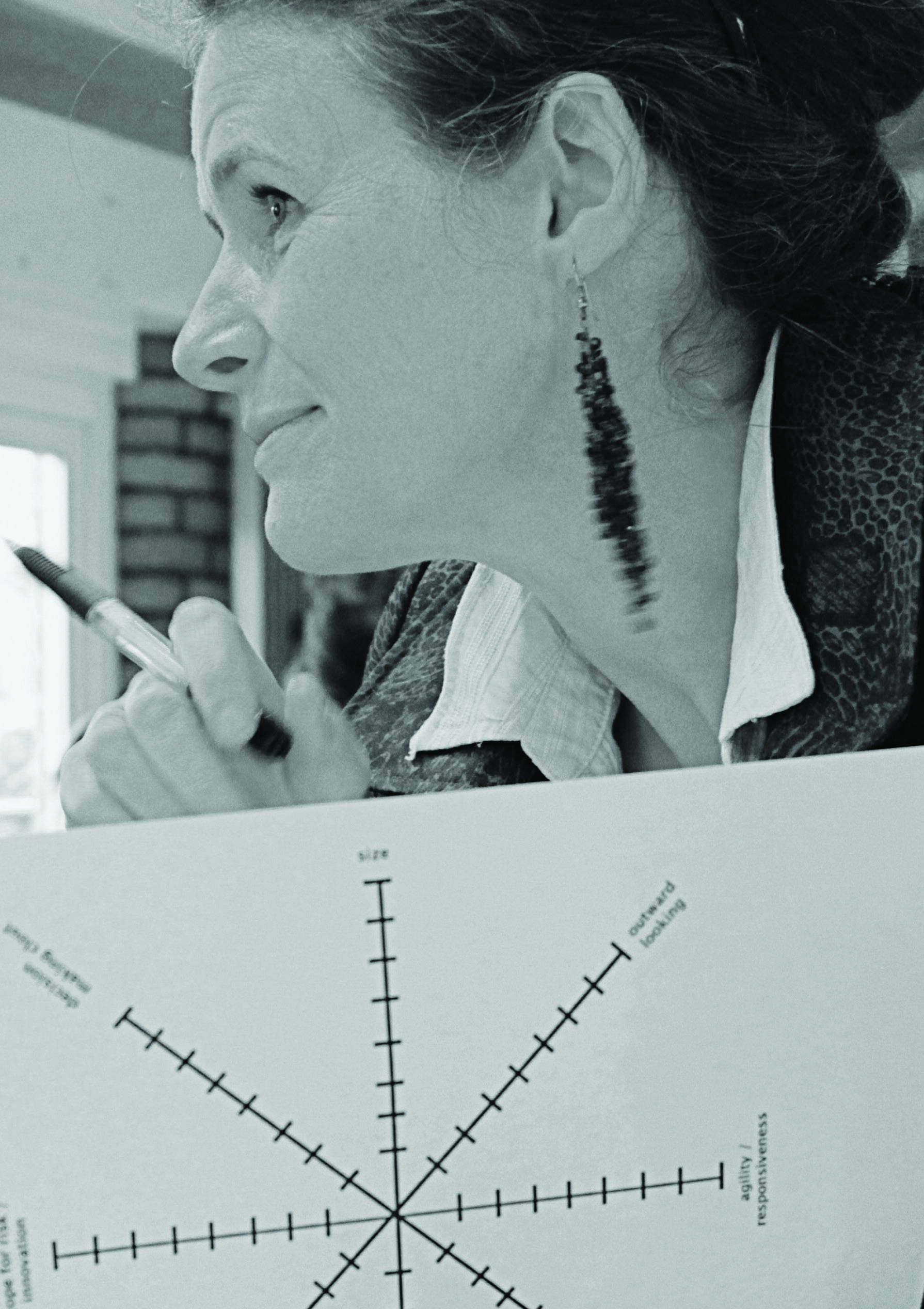
Radar chart with axes for "size", "outward looking", and "agility / responsiveness". Other labels include "Innovation", "making cloud", and "6128 T".
5:1 Preparing a Product Roadmap
5:2 Prototyping and User Testing
5:3 Content Development, Strategy & Lifecycle
05. The Product

Introduction
So now your mission is clear and you have a timeframe for delivery. You understand the value your product will unlock for users and for your business - even if it is an experimental project - and you have the funding and team in place to deliver. It's possible that this can all be tied up into a single project plan and one spreadsheet of activity but it is more likely that you will now have a set of complementary projects and a distributed team of people to juggle as you move through production to launch.
Putting robust design and development methodologies in place will help define and allocate tasks, smooth communications, ensure quality and allow sufficient flexibility to make changes based on user insight as you move towards delivery.
You might agree with your partners to take an iterative Agile approach. You might be really clear about all your requirements up front (or have no funding for future iteration) and therefore adopt Waterfall methodologies. Your approach to user experience (UX) might follow the Design Council's Double Diamond approach or perhaps CUBI UX. You also need to communicate with each other using Basecamp, Slack, Yammer or a wiki. Other tools and methodologies are, of course, available - the important thing is to choose what is right for you and then you must stick to it.
05.1 Product Roadmap
Preparing a Product Roadmap
A product roadmap is a document or presentation which tells the story of how your product will develop through production and testing to launch and then through subsequent releases. It's where you pull the threads of user experience, marketing and storytelling together. You can create a product roadmap purely for internal purposes for sharing with your team, IT or marketing colleagues OR it can be a document you make more public to share with your suppliers and stakeholders. It's likely that your product will consist of several projects involving different teams at different times so your roadmap is the one stop shop showing all the projects that are contributing to the vision and showing the points where they might be dependent on each other.
There are many product management methodologies to choose from - you need to find the one you are most comfortable with. For example, if you are working in an Agile way with your partners then standard practice is to start with a Vision Board which will look something like this:
Product Vision
| Audience | Needs | Features | Value |
|---|---|---|---|
| User |
Sample Product Roadmap
| Category | 2015 Q3 | 2015 Q4 | 2016 Q1 | 2016 Q2 |
|---|---|---|---|---|
| Product Vision | ||||
| Goals | ||||
| Themes - Long Term | ||||
| Themes - Short Term | ||||
| Projects | ||||
| Content/Marketing | ||||
| Operational Issues/Constraints |
Standard Components
Timeline (usually across the top). Be realistic about the timeframes (nine months for smaller products, 12-18 months for more ambitious ones) It might be that you plan to launch something to coincide with a real world event such as an exhibition opening so work backwards from this and you may need to reduce the scope of your original ambitions.
Goals The features of your product and the user benefits derived from these.
Long Term Themes Significant pieces, major changes in UX, delivery dates, launch dates etc.
Short Term Themes The tasks you are focused on before the next roadmap update. There should be more detail here so that the reader can see why these tasks are important and tie into the bigger themes.
Individual Projects Brief descriptions, the themes they support, project owner, when it might deliver e.g. UAT and other testing, photography sessions, video filming etc
Content/Marketing Key messages
Operational issues/Possible constraints
Preparing the Roadmap
Once you have your roadmap in place you will drill down into the themes, experience, user journeys, design patterns, features and functionality of what you want to build and you will start to develop a long and detailed list which will probably sit on a backlog behind your main product roadmap. Obviously, if your digital product is simply a video that you are going to release on youtube then a product roadmap is not required, but you may find that thinking this way helps...
The best way to ensure agreement is to involve key stakeholders in creating the roadmap. This allows you to include their ideas and knowledge and make sure the roadmap is realistic and actionable. A roadmap workshop could work involve you (as the product owner), members of the development team, marketing colleagues and any key stakeholders you believe are important.
Tip
- Be clear about who it is for - just your team? Or a wider group of stakeholders?
- Keep it simple - focus on what matters
- Be realistic - don't oversell the benefits
- Say no to feature creep - if somebody wants to introduce a feature with no clear business or user benefit then you should politely park it
- Keep updates regular - monthly might be too much, quarterly is good
Minimum Viable Product (MVP) Exercise
As deadlines loom, or funding becomes constrained, it is often worth considering what would constitute the leanest option that you have to still launch a product and make it worth marketing.
One exercise you can do to help define the MVP is to work through the matrix below, moving all your features, content ideas and functions around the matrix until you are satisfied that the lower right hand quadrant is correct and you have a rounded Minimum Viable Proposition for launch.
Small graphic of a 2x2 grid, labelled "Worksheet".
05.2 Prototyping & Testing
Creative Prototyping and User Testing
Observing real people performing key tasks throughout the design and development process will help you perfect your product. The earlier you embed user insight into the development process the better - you don't have to wait until you have your own product developed before testing,
Prototyping should be used to test visual layout, interface elements (e.g. "buy" buttons), flow and behaviour. There are many ways to use prototyping. Early-stage, lightweight processes like paper prototyping can illustrate and test the "look and feel" or flow of an experience. Rapid, undesigned code prototypes can be used to test for functionality and flow. Larger projects may call for a public or private 'beta' that builds some of the deliverables of the project to test budget, usability or content creation processes. There are free tools available online which you can adopt to test your hypothesis and agencies who can assist you with prototyping, user testing and evaluation.
Tip
A pool of at least 3 participants per target user group is a good rule of thumb for testing and even if you only do one test you are likely to gather some useful ideas about how your digital product should be shaped or could be improved. Don't make the evaluation criteria for testing and prototyping too complicated. The testing should simply indicate:
Satisfaction: on a scale of 1-5 how happy is the user with the experience?
Effectiveness: can the user perform the task they want to perform easily?
Efficiency: can the user complete a defined task within a set amount of time, easily?
05.3 Content Development, Strategy & Lifecycle
Thinking About the Content Lifecycle and the Value of Assets Over Time
Your unique content, the way you tell stories that inspire, delight and excite your audiences, is what sets your offer apart from everyone else in the digital ecosystem and provides the beating heart of your product. It can be long or short-form, it can be free or paid for, it can be social, ephemeral or permanent. It can be highly-structured and well-organised as a collection or it can be an experimental mash-up of types and formats.
There's content (eg. your performance on video), and there's content as marketing (eg. clips of your performance on video) and the boundaries between the two are often blurred. It makes sense, if you can, to create a single, joined-up content strategy which covers key messages (based on your audience insight), content creation, ownership, management, value and potential reuse of your content over time.
Content provision, development and strategy could also justify a separate toolkit so we have tried here to boil down the key elements you will need to create a unified content strategy which should be dynamic and shareable.
Section 05. The Product.
Content Strategy Framework
Creative Vision
Your creative vision, the unique content that supports it and how this meets your audience desires
Editorial Strategy
The process for creating, acquiring, editing, packaging, publishing and updating your content. This can include formal Editorial Guidelines, Calendar, Contributors, Production Partners and must include the simplest possible process for approving, updating and publishing contributions from a variety of sources. The tone and style of your content should always be appropriate for your target audience.
Content Type & Purpose
The content types you want to offer eg. video and audio (live stream, on-demand, short, chapterised, podcast, vodcast), animation, graphics, images, articles, listicles, blogposts, infographics, data, tweets, social conversations and more. The purpose of the content should be clear e.g is it for marketing purposes or is it a pay-per-view experience.
Release & Reuse Strategy
The types of license under which you might release your content for further use e.g. Creative Commons licenses. If you are using third party content such as video archive are there any underlying rights issues to consider? If you are not using all the rights you acquire how can you ensure you can use the content in a different way in future?
Success Criteria
The criteria by which you will assess the content e.g. sales of pay-per-view, time spent, likes, shares, citations
Content Management Strategy
The technologies needed to capture, store, deliver, and preserve your content assets and the data that goes with them. This should also cover publishing infrastructure, content life cycles and workflow issues such as desktop software and user permissions.
Channel Strategy
The touchpoints where the content will be accessed. Websites. Email. Social Networks. Kiosks. Audioguides. Apps etc
Metadata Strategy
The "data about data" enabling you and users to find content through search. Well-structured metadata helps to create a better user experience and enables your content creators to identify, organise, use, and reuse content in meaningful and valuable ways. Do you have an agreed information architecture or controlled vocabulary in place?
Policy & Regulatory (Risks)
The legal, policy and regulatory issues that might affect your content strategy ranging from moderating user generated content through to data protection and EU procurement
Section 06. The Launch.
6:1 Engagement Channels
6:2 Digital Marketing Dashboard
Introduction
When your product goes live you want to strike just the right note with content and marketing to engage and grow your audience successfully.
To achieve this need to know where your audience is, online and offline, their preferred digital touchpoints and the ways they want to engage. Is their first encounter with you through advertising, print, TV or through a search engine? Is it through word of mouth or through social media? Will it be through a physical space and into a digital one? Wherever your audience begins their journey you need to have your signposts, your brand identity and the value you offer clearly aligned to draw people in.
If you've had success with email, search marketing or social media campaigns already then you know what works and can build on it, keeping your communications consistent, congruent and focused. If not you need to consider from the outset what your key messages are (as part of your content strategy), how you will create the relevant content and also what you can realistically support and for how long. If you set up a branded Facebook page, for example, you must ensure there is the resource to provide regular updates and responses to feedback.
06.1 Engagement Channels
Using the Right Channels to Engage the Audience
Many arts organisations already have email databases, websites and website landing pages sitting at the heart of the digital marketing mix and on top of these sit layers of social activity, online PR and blogs, Search Engine Optimisation and Search Engine Marketing strategies, affiliate and partnership programmes and advertising.
Choosing the right outlet for your messages takes careful analysis and planning up front and then, given the ubiquity of real-time performance metrics and tools, you can tweak campaigns in real time to respond to user insight and improve effectiveness.
If you have visually appealing content then you may have more success on pictorial networks Instagram, Pinterest or Tumblr. If video is at the heart of your offer then seeding promotional clips on Facebook or YouTube might be the place to start.
06.2 Digital Marketing Dashboard
A Simple Dashboard
For digital marketing to be effective you need to create content which advances your objectives in measurable ways allowing you to build loyalty and community. A working dashboard for a campaign might look something like this:
Tip
Test, tweak, test again eg. try multiple small campaigns at once within one target audience niche, tweak what works and dump what doesn't.
Be personable on social media. Users can sniff out an automated post.
Fewer posts that have an authentic voice and unique content are more valuable on social networks than blanket bombing the same message over and over again.
Respond to user feedback within a reasonable timeframe.
Focus on the short term, don't stay too long on the same idea.
Revisit your customer profiles periodically. Conduct at least an annual review of your target audience profile, making updates to your demographic and psychographic data based on the real data you gather from your campaign.
Simple Digital Marketing Dashboard
| Campaign Title | Monday | Tuesday | Wednesday | Thursday | Friday | Saturday |
|---|---|---|---|---|---|---|
| Message | ||||||
| Content | ||||||
| Channels | ||||||
| Frequency | ||||||
| Creator | ||||||
| Approver | ||||||
| Keywords | ||||||
| Targets |
Section 07. The Evaluation.
Justin Spooner
7:1 Data Collection & Analysis
7:2 Telling Stories with Data
7:3 Continuous Improvement
07. The Evaluation
Introduction
It's not always possible to know what success will look like, particularly when you are undertaking risky or innovative new projects. Objectives can be fuzzy and failure can even be good if it happens fast and if the learning is reinvested back into the product or the wider business. Success can also feel like failure if your site gets so much traffic that it falls over and you need to scale up quickly.
If your launch goes well you will need to plan for sustainable growth, think about how your audiences will evolve and how your business can continue to realise a return on investment. If your project is deemed to have failed in some way it's important to understand why, to share key learnings from the experience and then give it a dignified burial.
07.1 Data Collection & Analysis
Collecting, Analysing and Interpreting Data
From the minute you start work on a digital product or project you will be gathering and interpreting data.... Lots of data. Hopefully you will have defined what success might look like from the start and will have baked in appropriate analytics, monitoring and research methodologies using Google, Hitwise, Omniture, Net Promoter Scores, User satisfaction surveys or any of the many free and paid-for tools available.
Understanding the value and quality of your content is harder - you can measure the number of people who read or listen to a story but how do you know if they learnt, enjoyed or were inspired by it? Is your online audience the same as your real-world audience? How do you describe return on investment in cultural terms?
Many of the R&D projects grappled with these issues and a set of benchmarks, processes and research tools are emerging e.g. Audience Finder which include Hitwise reports in their dashboards which provide cultural organisations with benchmarks of online audience engagement against which you can track progress over time. By asking the artist, a group of peers, and the public to assess an event, Culture Counts is developing a set of consistent standards for measuring quality.
07.2 Telling Stories with Data
Digital Analysis is About Telling a Story
Is the audience you are reaching the right audience? Do you need further understanding of your geo-demographic profile in order for your campaigns to be more effective? Or do you simply want to demonstrate a clear return on investment?
Digital activity yields so much data that it really requires professional analysts and data journalists to interpret it in meaningful ways. Finding the right information and then telling stories with it in ways that will resonate with stakeholders and others is like curating an art collection and if you have the resource you should consider how you will approach this at key stages of your product development. Data is powerful but often cake charts, graphs and spreadsheets aren't.
Data analysis isn't about graphics and visualizations; it's about telling a story. Try to look at it like a curator - ask what happened and when and why it is important or valuable. Visualizations (charts, maps, infographics) can be useful but keep focused on the story, give it context and a sense of narrative - it might just be possible to tell it in just a couple of paragraphs of concise prose.
07.3 Continuous Improvement
Using the Learning Loop
The Learning Loop is a tool that helps you to define how what you are currently doing informs what you do next. It provides a high-level perspective on the performance of your product, what is working, what can be improved and it will help you articulate what to improve or prioritise. You can also use this framework to unpick something that is deemed to have failed - is perhaps broken, or users did not engage. This worksheet was inspired by the Learning Plan from IDEO (2011).
How to
Place each of the four headings on a whiteboard or large sheet of paper and populate each area with real data (statistics, verbatims, trends) that provides evidence of what is working, what needs improvement and what new features or projects are planned. It helps you check whether your organisation actually learns from its experiences (both success and failure) and is improving continuously. While working through this it helps to bear in mind where you see your product or project in two years time to make sure that your product, your organisation and your audience are all travelling in the same direction.
A diagram illustrating a four-part framework, likely for the Learning Loop, with a central cross and four quadrants, implying a cyclic process for continuous improvement. The explicit steps identified in the loop are:
- Collect stories & insights
- Prioritise feedback & solutions
- Track indicators & progress
- Review outputs & impact
Section 08. The Appendix


Further Reading & Useful Links
Native Magazine http://artsdigitalrnd.org.uk The home of the Digital R&D Fund for the Arts on the web and a resource where you can find details of the fund and case studies from all the projects and a very useful glossary which explains some of the acronyms we have used in this document
Design Council Guide to Design http://www.designcouncil.org.uk/news-opinion/design-methods-step-1-discover A useful four step guide to design - relevant for all design but applicable to digital
Nesta Creative Enterprise toolkit http://www.nesta.org.uk/publications/creative-enterprise-toolkit An online toolkit for those interested in starting up a creative business
Canvanizer business modelling tools https://canvanizer.com Online business modelling tools - you can find free customisable business model canvases and other really useful tools for business planning at Canvanizer
Arts Council website resources http://digitalcapacity.artscouncil.org.uk The Arts Council site is packed with useful information and this links to downloadable documents on the digital commissioning process, internal processes for generating ideas and a project brief canvas
This is a suite of tools, techniques and tips designed for people working in the arts and culture sector who want to improve existing digital products or experiment with new ones...